Free, portable and ready in seconds. The GUI app is for Windows; a scriptable command-line tool is available for both Windows and Linux.
Extract the ZIP anywhere you like — a folder, an external drive or a USB stick.
Double-click CipherPaths.exe. There is no installer and nothing is written to your registry beyond your last-used vault path.
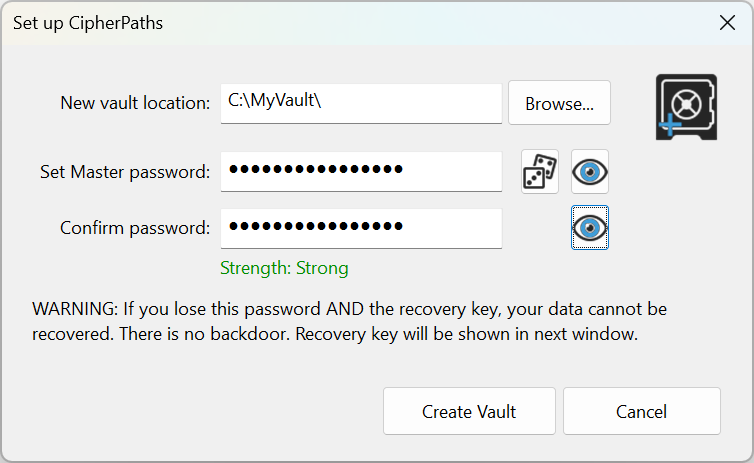
Choose a folder, set a strong master password and save your recovery key somewhere safe.
Create accounts, store credentials and drag in the files you want encrypted. That's it.
CipherPathsWin.exe — the single file portable applicationVerify your download (File: CipherPathsWin.zip):
Verify your download (File: CipherPathsWinInstaller.exe):
Files are also code signed for your security.
The full GUI app is Windows-only for now, but the cipherpaths command-line tool runs on both Windows and Linux from the same portable encryption core — see the CLI download below, or the Command Line Guide for every command. macOS is under consideration.
A portable, scriptable cipherpaths tool that reads and writes the exact same vault format as the GUI. Two builds for Windows (x64 and ARM64) and one for Linux (x64), each with runnable example scripts included.
Windows_x86_64bit/cipherpaths.exe + demo-vault.cmd and demo-vault-interactive.ps1 example scriptsWindows_ARM_64bit/cipherpaths.exeLinux_x86_64bit/cipherpaths + demo-vault.sh and demo-vault-interactive.sh example scriptsVerify your download (File: CipherPathsCommandLine.zip):
The Windows executables (x64 and ARM64) are code signed. The Linux binary is fully statically linked, so it has no runtime dependencies to install — see the Command Line Guide's system requirements for details.
cipherpaths open and run many commands against it without re-unlocking each time. The included demo scripts show both styles for every shell (PowerShell, cmd.exe and bash); read the full Command Line Guide for every command, environment variable and quoting rule.

 Download CipherPaths (.zip)